
Getting started
Install the theme
You can install Kurato from the WordPress admin in about one minute. If your host limits upload size, use FTP instead.
Unzip the file you downloaded from ThemeForest. You need kurato.zip from inside it. See What is in the download.
Upload the theme in WordPress#
- In the WordPress admin, go to Appearance > Themes and click Add Theme at the top.
- Click Upload Theme.
- Click Choose File and pick
kurato.zip. - Click Install Now.
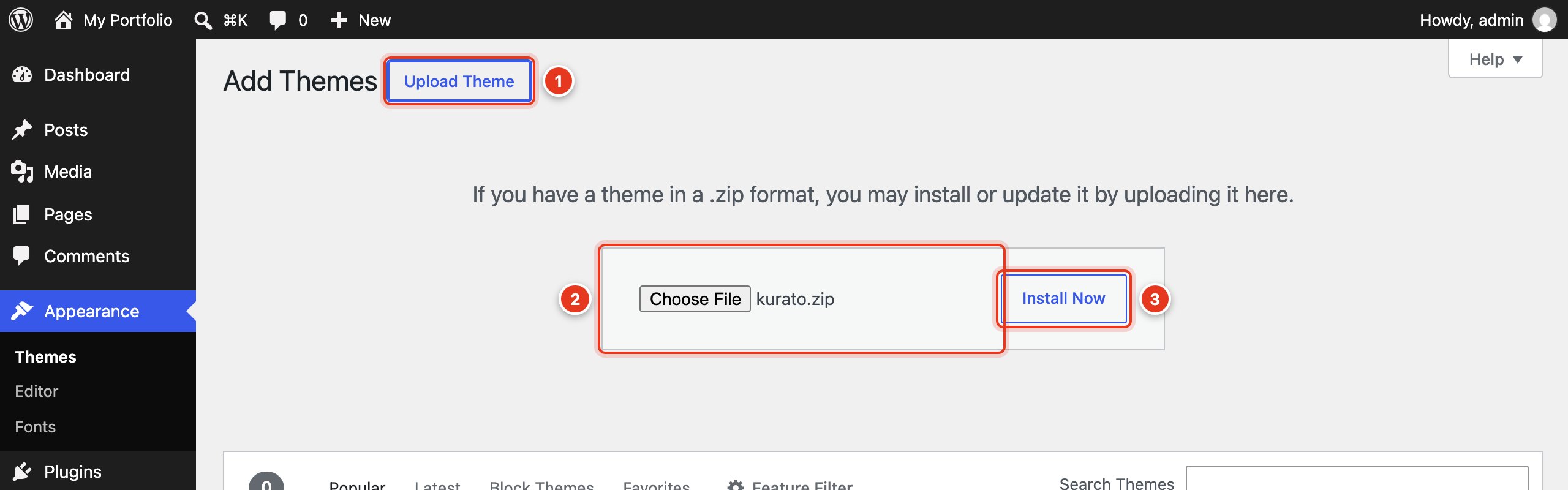
- Upload Theme opens the upload form.
- Choose
kurato.ziphere. - Install Now uploads and unpacks the theme.
When WordPress says "Theme installed successfully", click Activate.
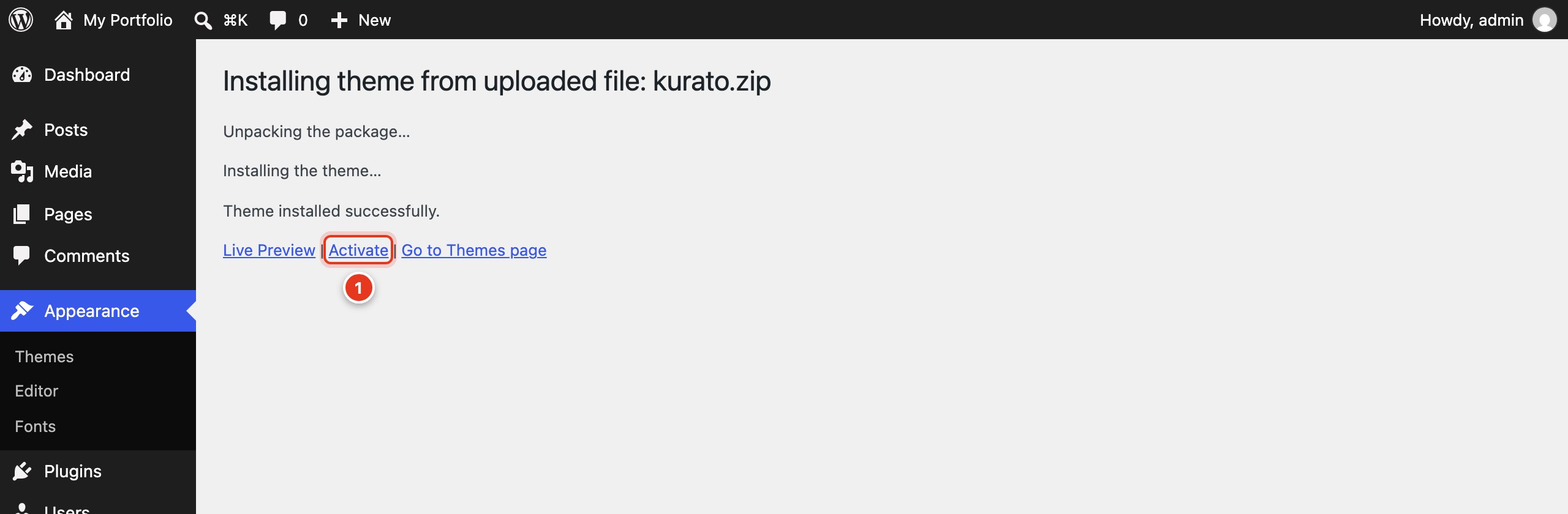
- Click Activate to make Kurato the active theme.
Next, install the plugins. A notice at the top of the screen asks for them. See Install the plugins.
Install with FTP#
Use this way if the upload fails with "The uploaded file exceeds the upload_max_filesize directive".
- Unzip
kurato.zipon your computer. You get a folder namedkurato. - Connect to your server with an FTP program, such as FileZilla.
- Upload the
kuratofolder towp-content/themes/. - In the WordPress admin, go to Appearance > Themes and click Activate on Kurato.
Check the folder name: the path must be wp-content/themes/kurato/style.css, not wp-content/themes/kurato/kurato/style.css.
The child theme#
A child theme keeps your own code changes safe when you update Kurato. You need it only if you will edit PHP, CSS, or template files. Customizer settings, pages, and menus are safe without it.
- Install Kurato first, as above. The child theme needs it.
- Upload
kurato-child.zipthe same way: Appearance > Themes > Add Theme > Upload Theme. - Click Activate on Kurato Child.
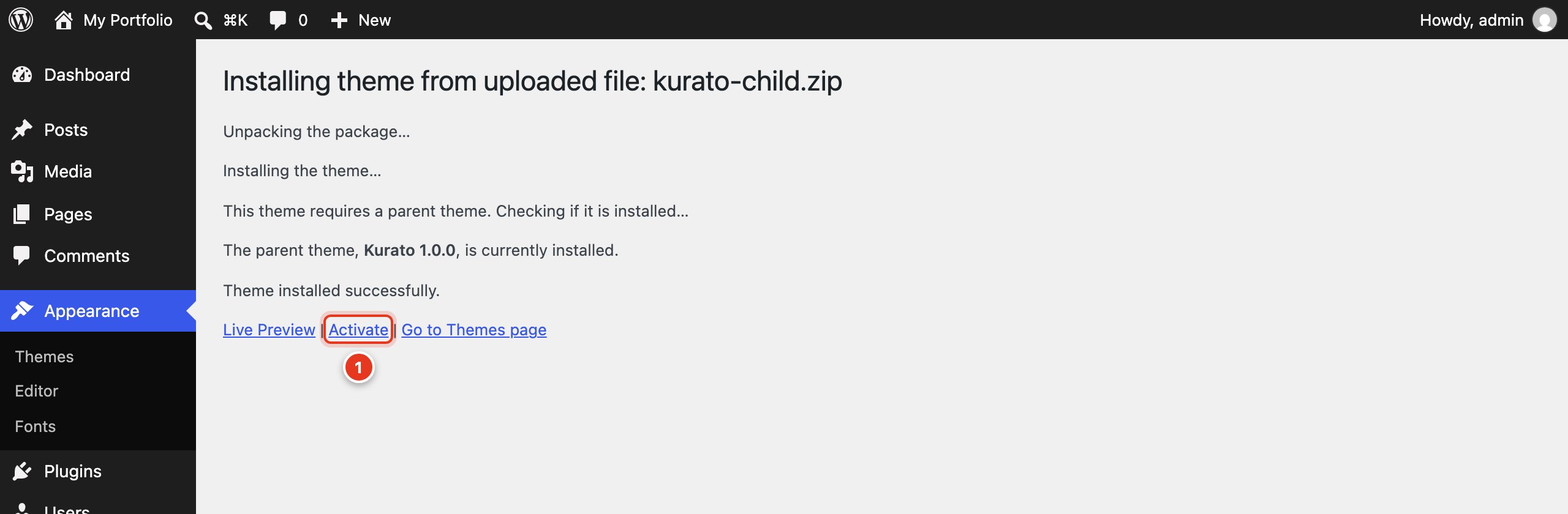
- Activate Kurato Child. Kurato must stay installed, but it does not need to be active.
WordPress keeps Customizer settings for each theme separately. If you switch from Kurato to Kurato Child after you have set things up, the child theme starts with the default settings. To avoid this, activate the child theme before you import a demo or change the Customizer.
To learn what you can do in the child theme, see Child theme and code.
Kurato 1.0.0 documentation, updated 2026-10-03. Online at kurato.jawad.work/docs/.