
Going further
Fonts, privacy, and speed
With its default settings, Kurato sends no visitor to another server. This page lists every case where a visitor's browser can contact another server, so you can describe it in your privacy policy.
Fonts#
The default font pairing, Kurato (bundled), is part of the theme. The font files are served from your own site, so a fresh install makes no request to Google or any other font service.
Google fonts and privacy#
The other pairings (Broadsheet, Studio, Gallery, Marquee, and Custom) use Google fonts. By default, a visitor's browser then downloads them from Google's servers, and Google can see the visitor's IP address. To serve them from your own site instead:
- Go to Kurato > Fonts.
- Click Download on the pairing you use. The files are saved in your uploads folder, under
kurato-fonts. - Go to Appearance > Customize > Kurato > Typography and make sure Host Google fonts on this site is on. It is on by default.
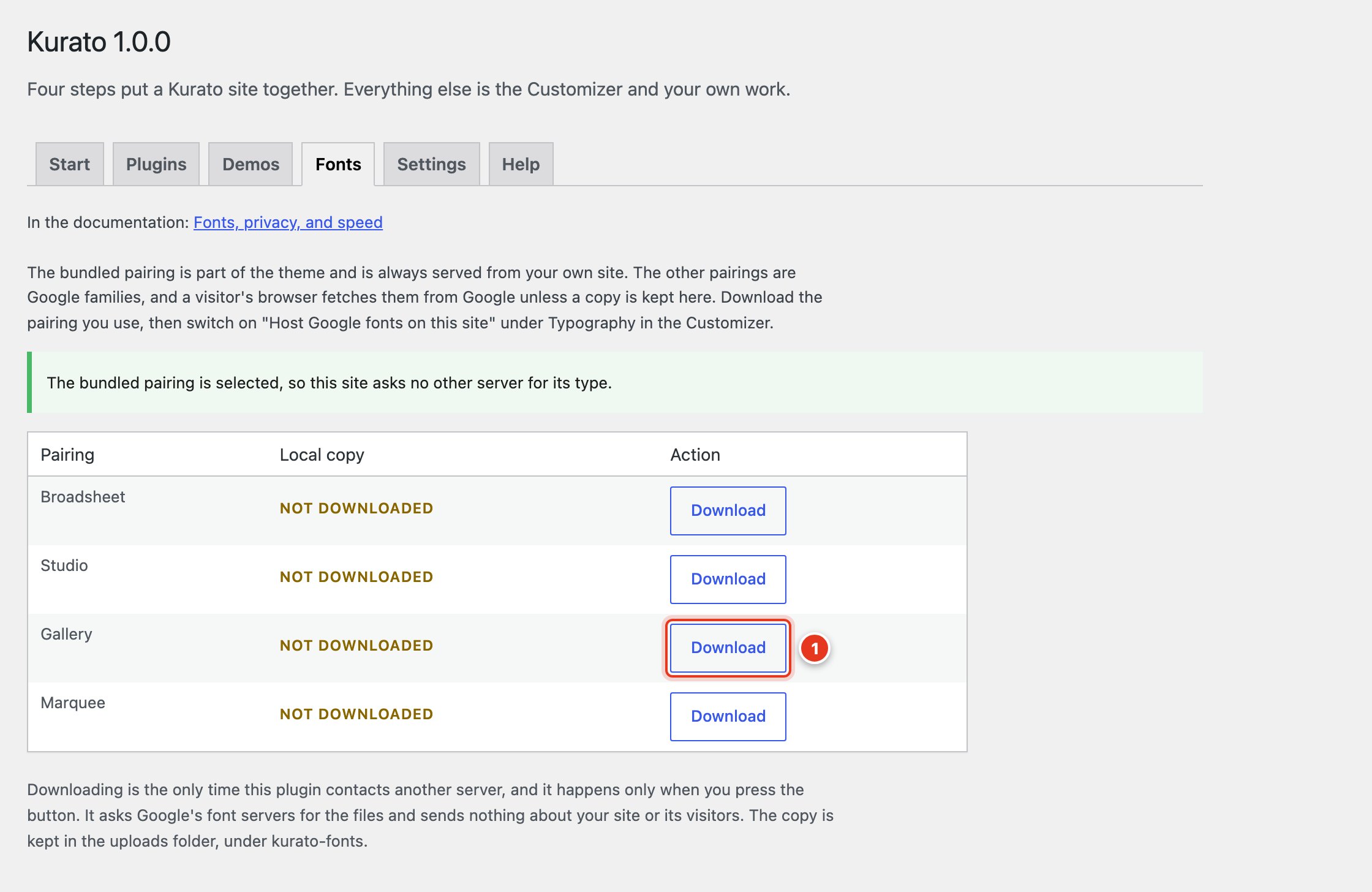
- Download the pairing you use. Delete removes a copy you no longer need.
Downloading is the only time Kurato Core contacts another server, and only when you click the button. It sends nothing about your site or your visitors. If you change the families of the Custom pairing, download it again.
The bundled fonts cover Latin alphabets. For other alphabets, such as Arabic, Greek, or Cyrillic, the browser uses a system font for those letters.
Other servers, and when they are contacted#
| Feature | Server | When |
|---|---|---|
| Google font pairings | fonts.googleapis.com and fonts.gstatic.com | On every page, only when a Google pairing is chosen and no local copy is used. |
| Vimeo and YouTube videos | player.vimeo.com, or www.youtube-nocookie.com | Only after the visitor presses play. Before that the page shows a still. Vimeo is asked not to track the visitor (dnt=1), and YouTube is loaded from its no-cookie address. |
| Location section map | OpenStreetMap, or Google Maps if you choose it | Only after the visitor clicks the button to show the map. |
| Share links | The network the visitor picks | Only when the visitor clicks a share link. No script from the networks is loaded. |
| Newsletter section | Your mailing service, such as Mailchimp or Brevo | Only when the visitor submits the form. |
Plugins can contact other servers too. For example, Elementor can load Google fonts. The demo import turns that off, and you can check it in Elementor > Settings.
What is stored in the visitor's browser#
- Day or night choice. When a visitor presses the mode button, their choice is saved in the browser's local storage, under
kurato-mode. It never leaves their device. - Wishlist. For visitors who are not logged in, the wishlist is a cookie named
kurato_core_wishlistthat lasts 30 days and holds only product numbers.
Kurato has no tracking, no analytics, and no "phone home". It does not check for updates on its own.
Text for your privacy policy#
Kurato does not add text to Settings > Privacy. If you use the features above, you can adapt this text:
This site remembers your choice of light or dark mode in your browser.
It does not send this choice anywhere.

Videos from Vimeo and YouTube load only after you press play. Then
Vimeo or YouTube can see your IP address. Maps load only after you
ask for them. Then the map service can see your IP address.
Keep pages fast#
- Turn off effects you do not need. In Motion settings, an effect that is off is not loaded at all.
- Upload images at a sensible size. About 2400 pixels on the long side is enough for full-screen images. WordPress makes the smaller sizes, and browsers load the size they need.
- Use a page cache. A caching plugin, or the cache your host provides, serves pages without rebuilding them each time.
- Keep plugins few. Remove One Click Demo Import after the import, and any plugin you do not use.
Kurato loads one deferred script and one stylesheet for the theme. The shop files load only when WooCommerce is active, and the smooth scrolling script loads only when smooth scrolling is on.
Accessibility#
- When a visitor's device asks for reduced motion, every effect stops, and all content is shown at once.
- Without JavaScript, all content stays visible, and the menu, archive, and paging still work.
- Every control can be reached with the keyboard, and windows such as quick view and the screening room keep focus inside until they close.
- A "Skip to content" link is the first thing on every page.
Kurato 1.0.0 documentation, updated 2026-10-03. Online at kurato.jawad.work/docs/.